

Google Ads Advertiser Verification
What advertiser verification is, how it works, and what to bring to your first check-in call so we can complete it together.
Google asks every advertiser to verify their business — a program it calls advertiser verification. It's a quick, one-time process that builds trust with Google, unlocks features like your logo on your ads, and keeps your account in good standing. We handle it with you on your first check-in call — this guide explains what it is and what to have ready.
The short version: Verification proves your business is really you. Google asks for your organization's details and — depending on your business — may ask for an ID or a document. We'll do it together on your check-in call, so just come prepared with the items below.
Why Google requires it
Verification isn't busywork — it does three things for you:
- Builds trust. Verified businesses show up in Google's "About this advertiser" details, so customers can see your ads come from a real, accountable business.
- Unlocks features. Completing verification is what makes your business logo eligible to appear on your ads.
- Keeps your account healthy. Verification is required. If it isn't completed within Google's window, Google can pause the account — which is exactly why we tackle it early, together, rather than letting it linger.
How it works
Verification is a short, guided flow inside Google Ads. Here's what it looks like from start to finish:
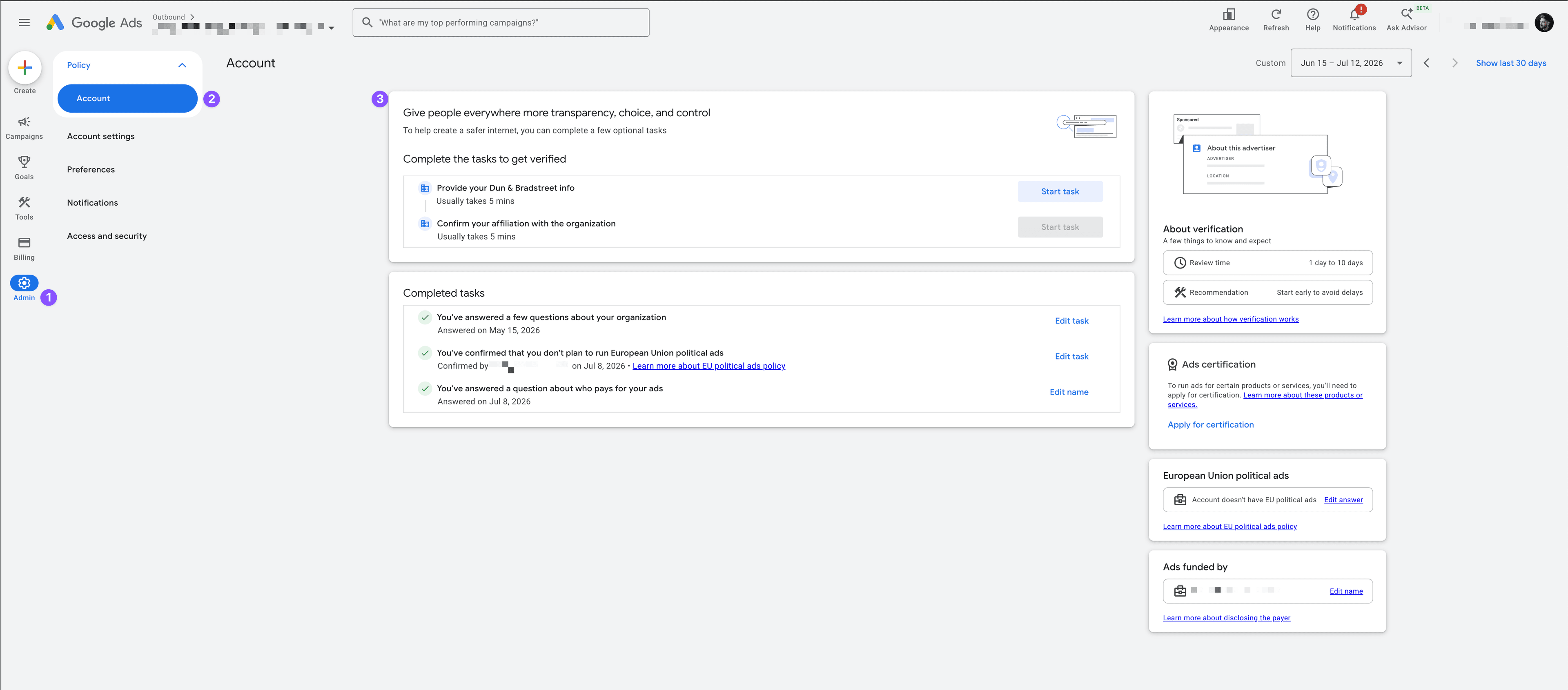
Find the verification page
In Google Ads:
- Open Admin — the gear icon at the bottom of the left-hand menu (1).
- Under Policy, select Account (2).
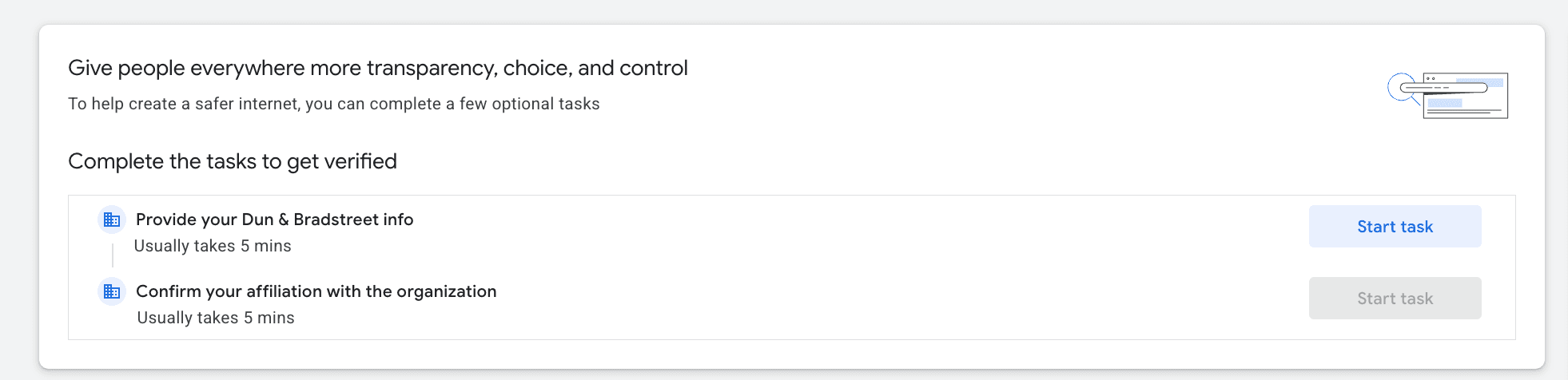
- You'll see the "Complete the tasks to get verified" card (3). Click Start task to begin — the exact tasks depend on your business.
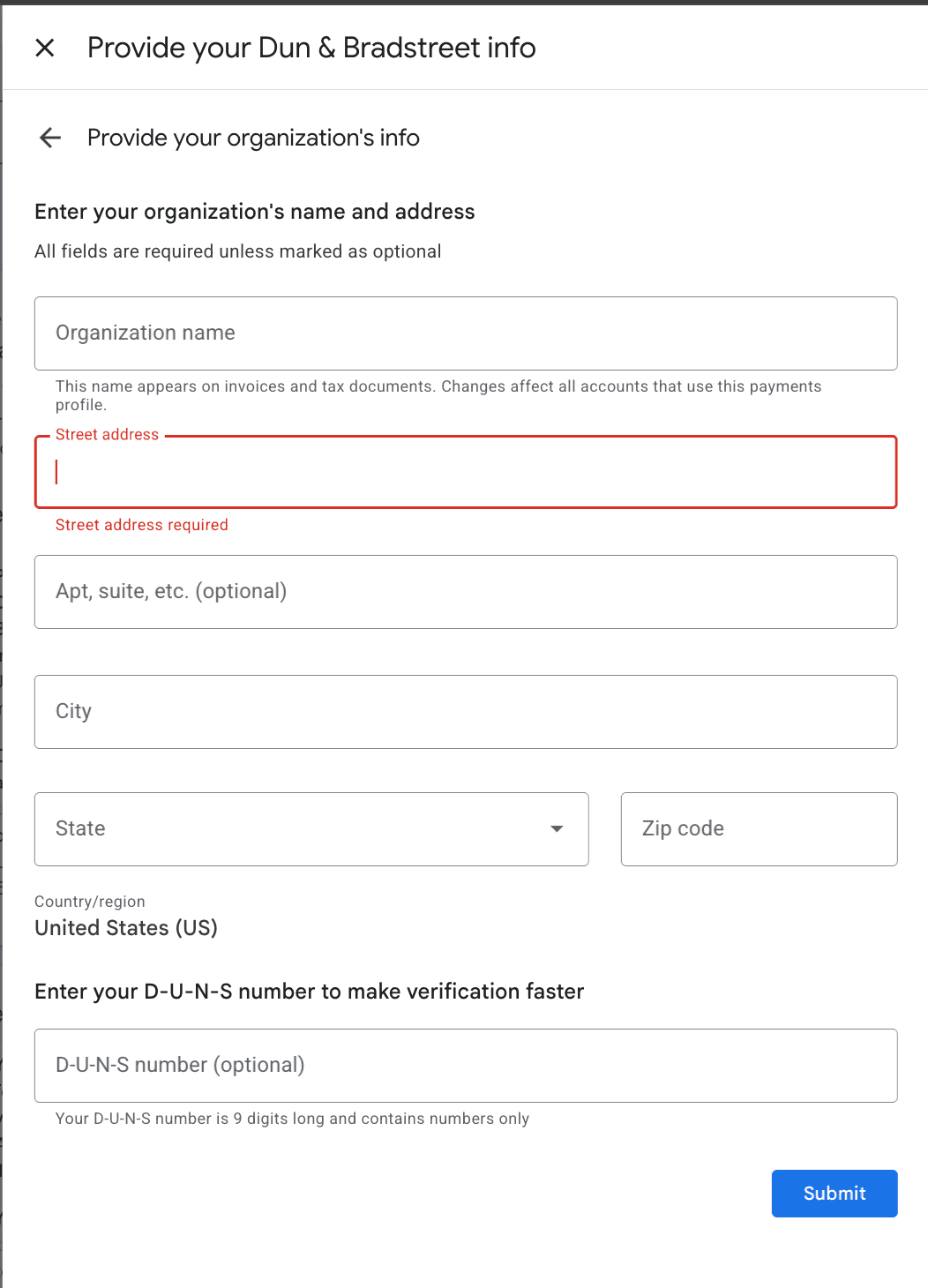
Provide your organization's details
You'll enter your organization's legal name and address. If your business has a D-U-N-S number, you can add it here to speed up the review — it's optional, and verification works fine without one.
Confirm and submit
You'll confirm your affiliation with the organization and submit. Google reviews everything and confirms your verification — your ads keep running the whole time.
What you'll need
Google spells out what it needs before you start, and the exact tasks vary by business. For most service businesses it comes down to a few things:
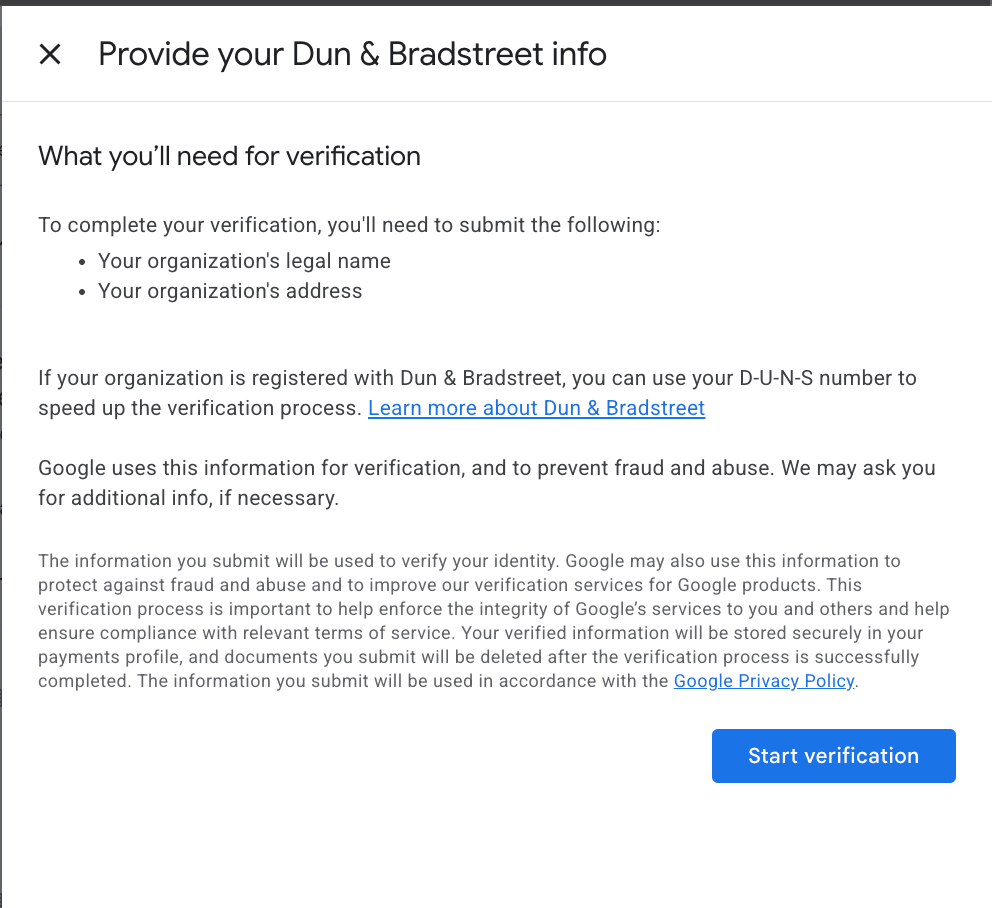
- Your exact legal business name and address — as they're officially registered. This is the core of the "provide your organization's info" step above.
- Your D-U-N-S number, if you have one (optional) — a free nine-digit business ID that can speed up the review. New to it? Here's what a D-U-N-S number is.
- A government-issued photo ID — a driver's license or passport for an owner or authorized representative, in case Google asks you to confirm your identity.
- A business registration document, if requested — such as your EIN confirmation letter (CP‑575 or 147C) or Certificate of Incorporation. Google accepts several; if you're unsure what you have, we'll help you figure it out on the call.
The details need to match. Google checks that your business name and information match what's on the ad account exactly. If your legal name differs from your everyday business name, bring both so we can get it right the first time and avoid a rejected submission.
What to expect
Verification happens in stages and Google's review can take a little time — that's normal, and your ads keep running throughout. Once it's approved, your business is verified for good, and features like your logo on ads become available.
Learn more from Google
If you'd like to read Google's own details, these are the official pages:
- Advertiser verification — what the program is and why Google runs it.
- Document requirements for advertiser verification (United States) — the full list of documents Google accepts, for both businesses and individuals.
Still stuck?
Have your documents ready before the call, or want to get verification moving now? Reach out and we'll get started.