

Call Overrides
Temporarily change where your calls go for the next few hours — for when you're slammed, closing early, or handling an emergency.
An override is a quick, temporary change to where your calls go — for the next few hours only, without touching your regular hours or holidays. Use it when something changes for a short while, then let it expire on its own.
The short version: In your Contact Center's routing panel, click Set override, pick how long it runs and where calls should go, and confirm. It ends automatically when the timer's up — and you can end it early any time.
When to use an override
- You're slammed and want calls to go to voicemail or your AI agent for a bit.
- An emergency or an early close.
- Any one-off change that shouldn't affect your normal hours.
Set an override
Open the routing panel
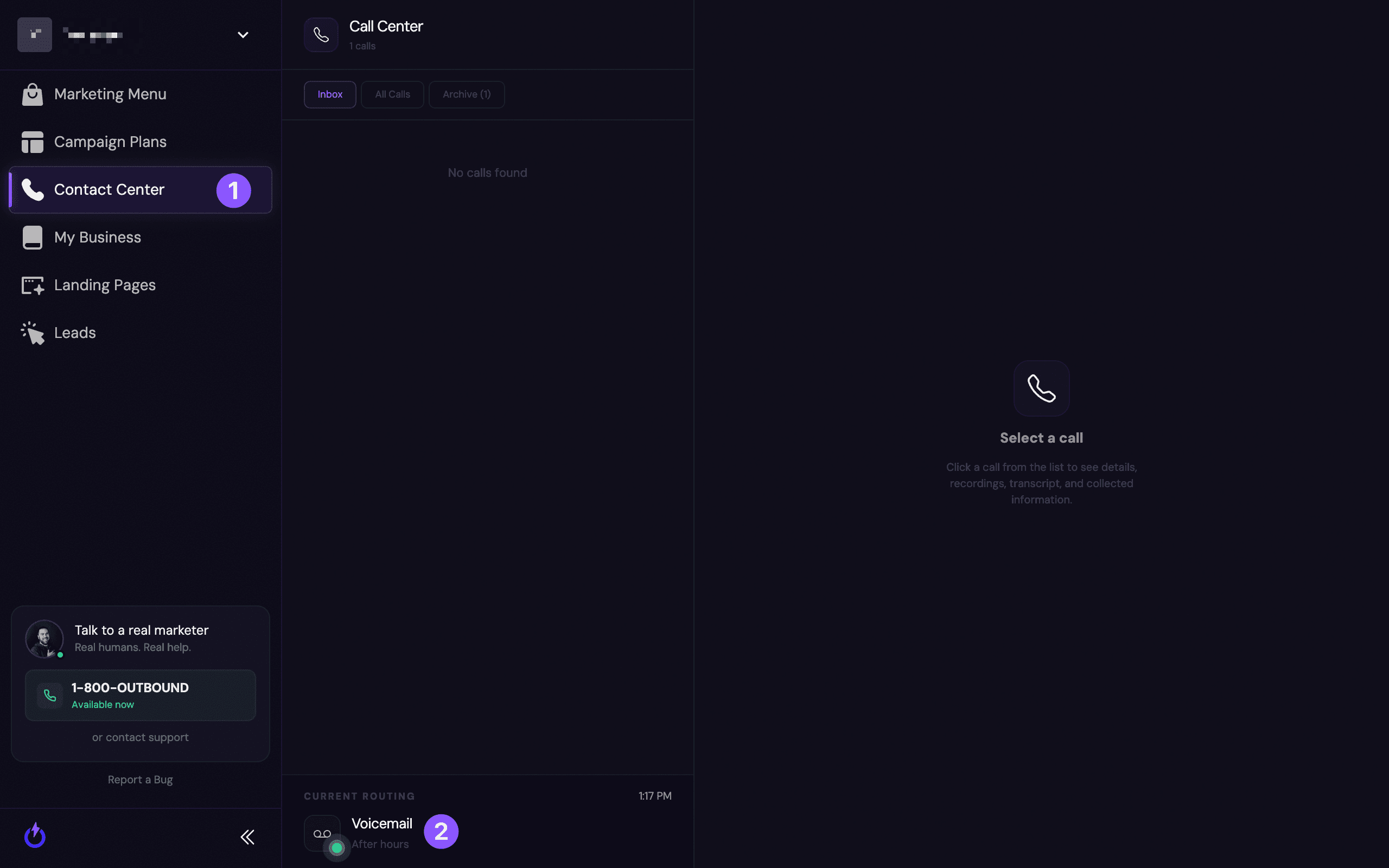
In your Contact Center (1), click the Current Routing (2) indicator at the bottom of the call list to open "What happens to a call right now." (More on this view in Viewing Your Current Call Routing.)
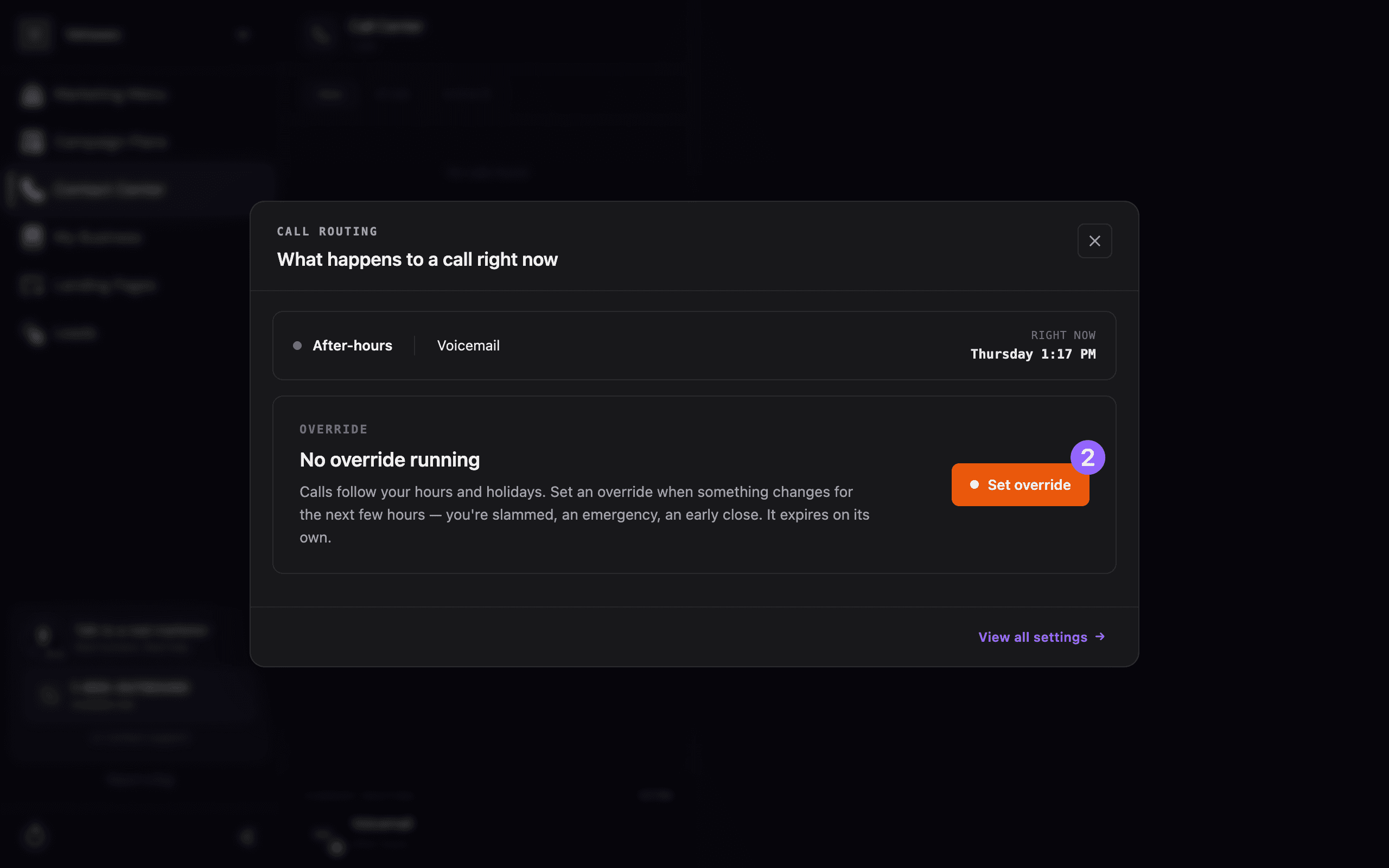
Choose how long it runs and where calls go
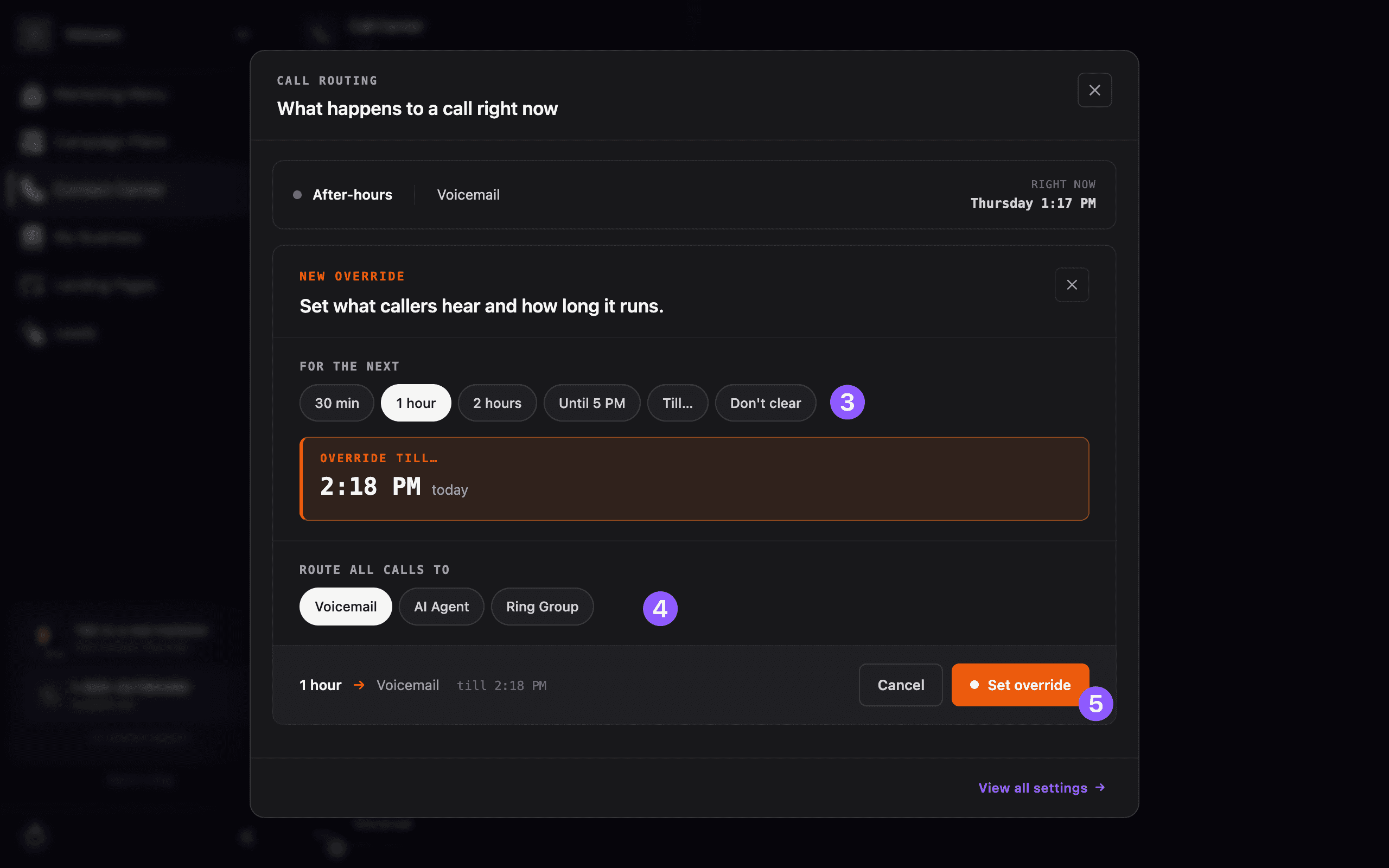
- For the next (3) — pick a length: 30 min, 1 hour, 2 hours, Until 5 PM, a custom time (Till…), or Don't clear to leave it on until you end it yourself.
- Route all calls to (4) — choose Voicemail, AI Agent, or Ring Group.
Then review the summary (for example, "1 hour → Voicemail till 2:18 PM") and click Set override (5).
While an override is active
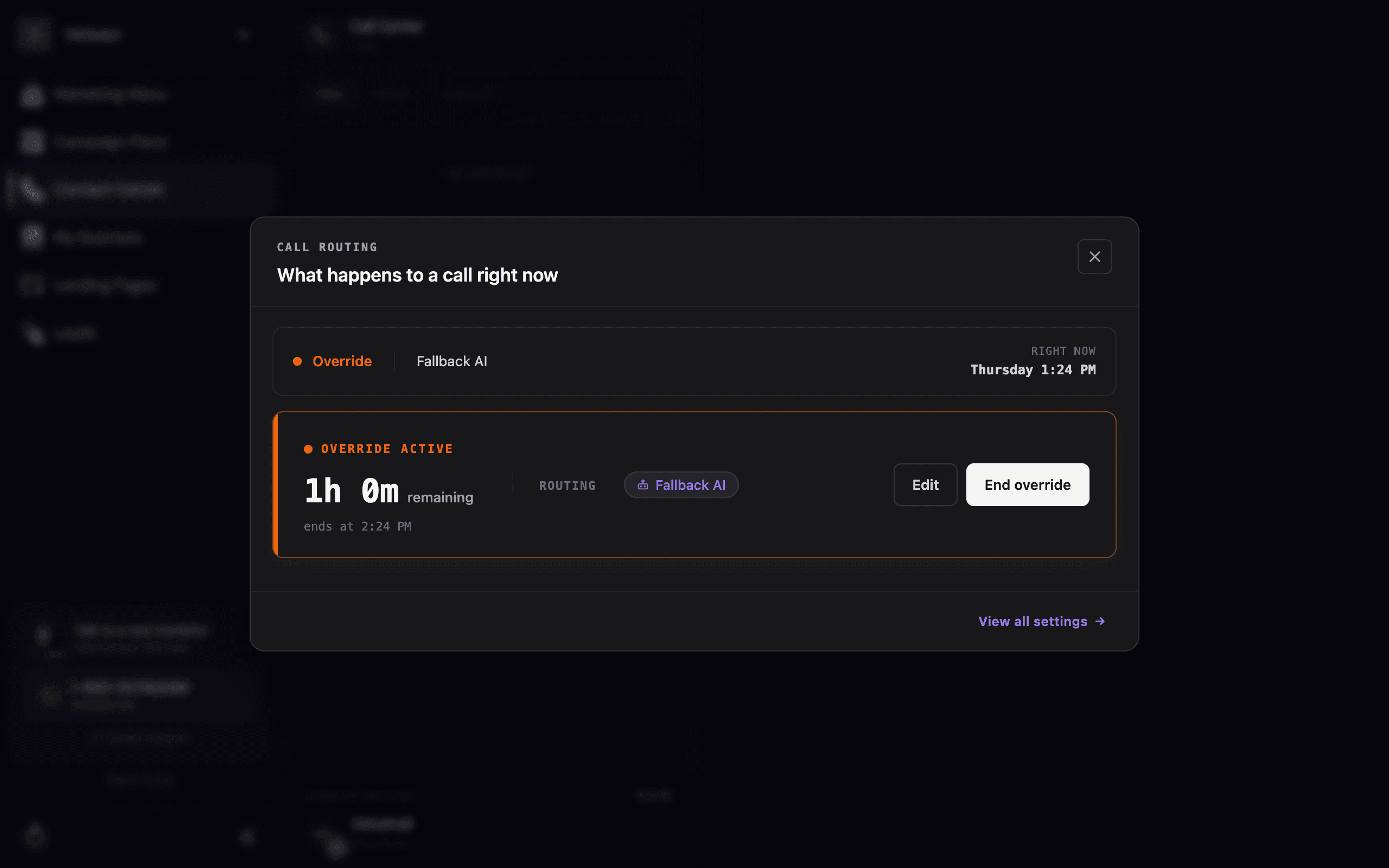
The routing panel now shows Override active — the time remaining and where calls are going. From here you can:
- Edit — change the duration or where calls are routed.
- End override — cancel it immediately and go straight back to your normal hours.
An override expires on its own when the timer runs out (unless you chose "Don't clear"). When it ends, calls automatically go back to following your regular hours and holidays — nothing to undo.
Still stuck?
Want help deciding when to route calls to voicemail, your AI agent, or a ring group? Reach out and we'll set it up with you.
Setting Your Hours & Schedule
Set your business hours, holidays, and after-hours handling so your phone is answered the right way at any time of day.
Ring Groups
Ring one or more of your own phone numbers when a call comes in — all at once or one at a time — and understand what counts as a picked-up call.