

Viewing Your Current Call Routing
See exactly what happens to an incoming call right now — where it goes and why — from your Contact Center.
Your Call Center decides where each incoming call goes based on your business hours, your holidays, and any temporary override you've set. The Current Routing view shows you exactly what happens to a call right now — where it lands and why. Here's how to check it.
The short version: Open your Contact Center and look at the Current Routing indicator. Click it to see the full picture — whether you're in business hours or after-hours, where calls are going, and whether an override is running.
Open your Contact Center
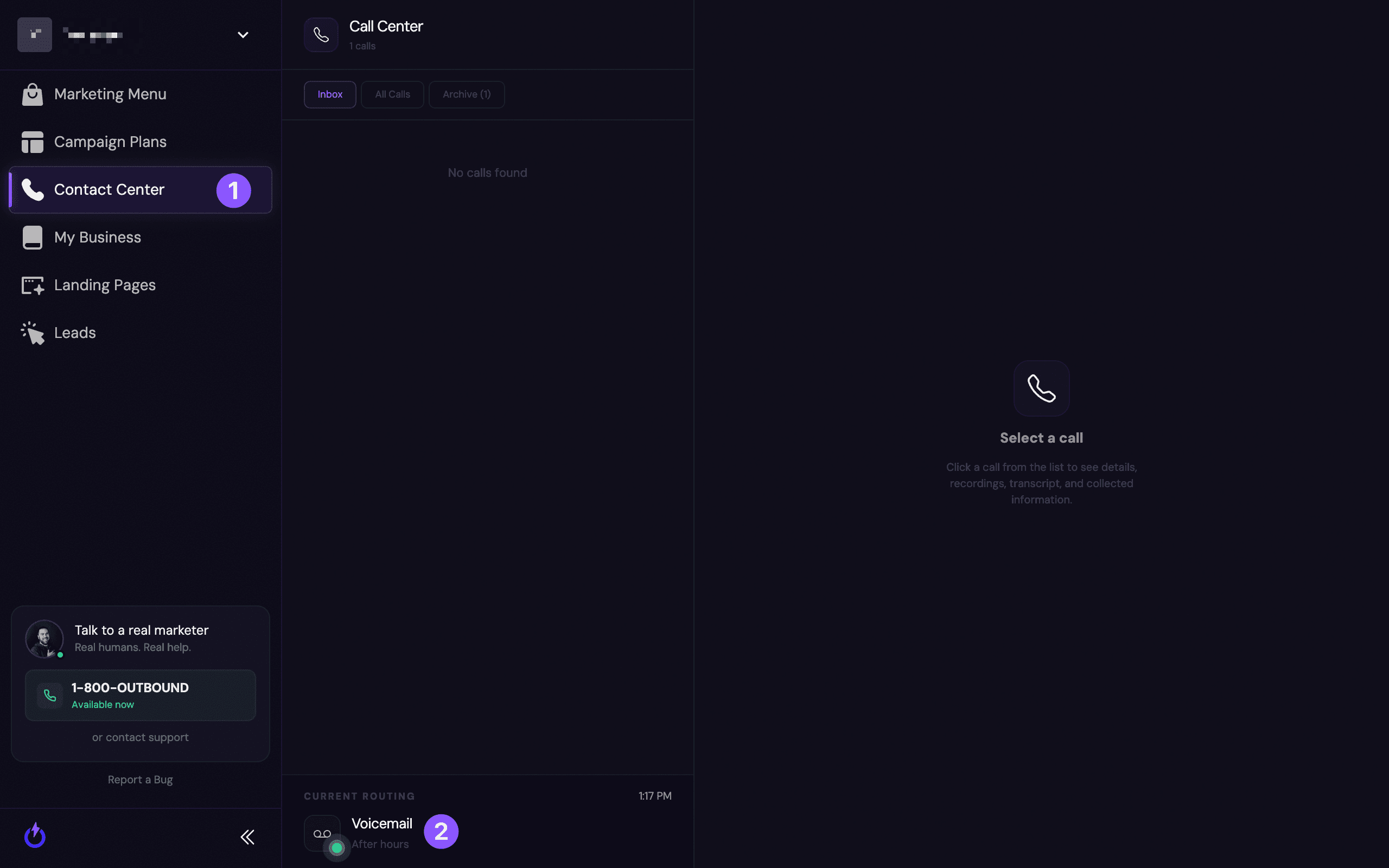
In the left menu, click Contact Center (1). At the bottom of the call list, the Current Routing (2) indicator shows where calls are going right now — for example, "Voicemail — After hours."
Open the routing panel for the full picture
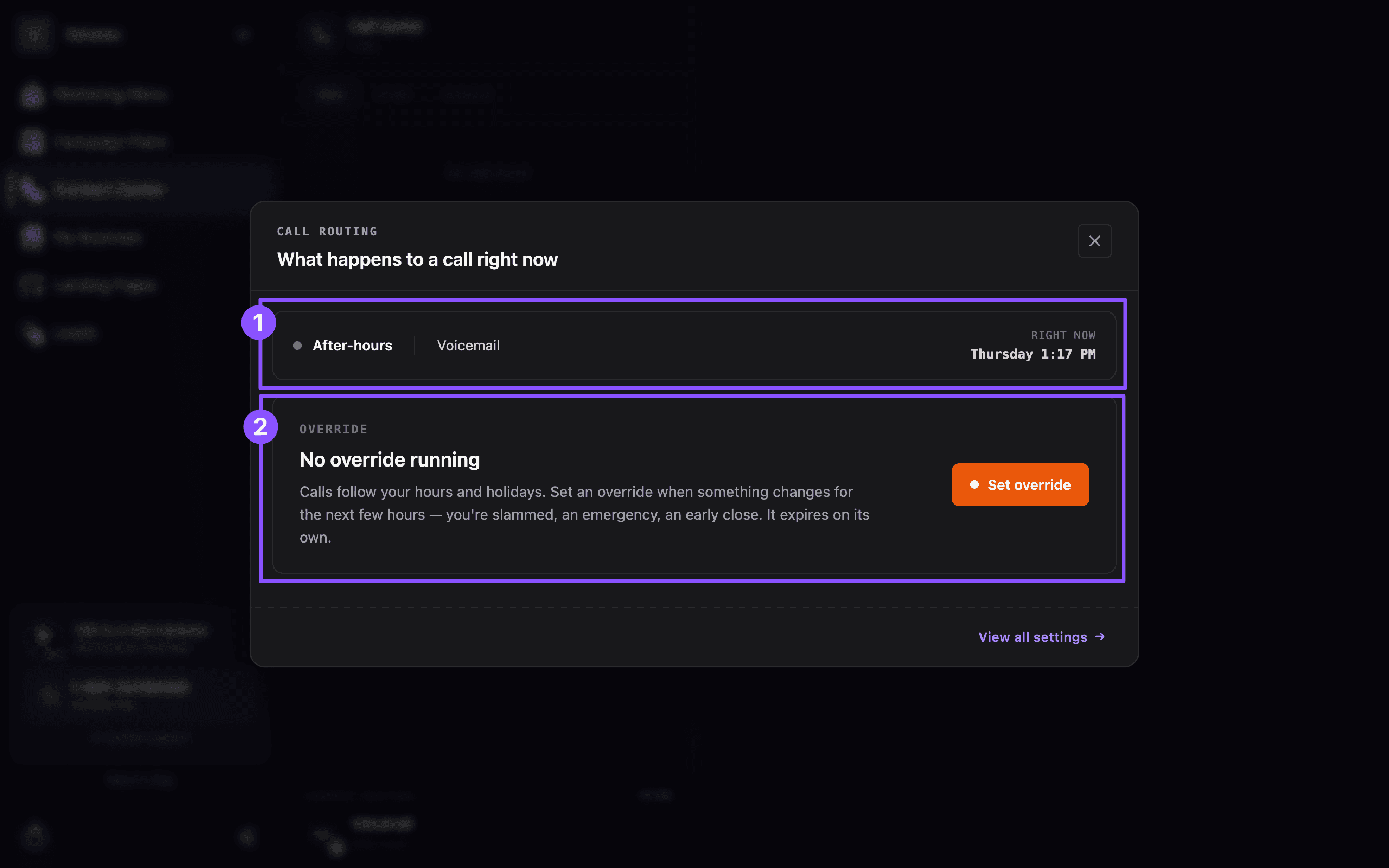
Click Current Routing to open "What happens to a call right now." It shows two things:
- (1) The current state — whether you're in business hours or after-hours, where calls route (voicemail, AI agent, or ring group), and the current day and time.
- (2) Any override — whether a temporary override is running, or "No override running" when calls are simply following your normal hours.
Reading it
- The status line at the top (like "After-hours · Voicemail") is what a caller experiences this moment.
- The override section tells you whether that's your regular schedule or a temporary change.
Need to change it temporarily?
If you need calls to go somewhere different for a little while — you're slammed, closing early, or handling an emergency — you can set a temporary override:
Still stuck?
Not sure why calls are routing the way they are? Reach out and we'll walk through your schedule with you.
Setting Up Additional Emails for Your Business
Why to use department emails, aliases, and shared inboxes as you grow — and how to set them up in Microsoft 365 or Google Workspace.
Reviewing Your Calls
Read the transcript, listen to the recording, and see the AI summary for any call your Call Center handled.